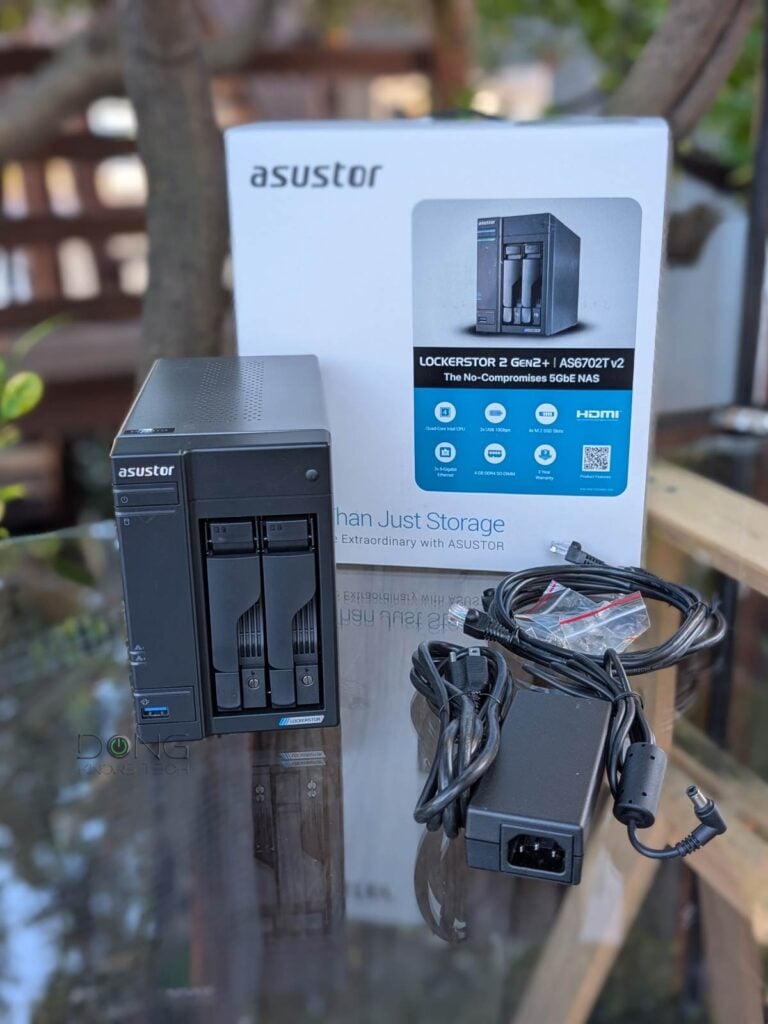
The Lockerstor 2 Gen2+ (model AS6702T v2) is the first network-attached storage (NAS) server from ASUSTOR (the storage subsidiary of ASUS) I’ve reviewed in almost eight years, since the AS4002T. The new server proved to be a totally different beast, for the better.
Yet the two share many similarities: they are dual-bay servers that run the same Linux-based ASUSTOR Data Master (ADM) operating system, albeit many major versions apart. I like the older AS4002T’s tool-free drivetray design much better, but the AS6702T v2 has lots to compensate for that.
Here’s the bottom line: Despite some minor design quirks, the AS6702T v2 proved to be a fast and storage-versatile NAS server worthy of its suggested $569.99 (diskless) price tag—street price will vary and is often lower. If advanced features and refined applications are what you need, however, the lower-specced and more affordable Synology DS225+ will deliver much better value.
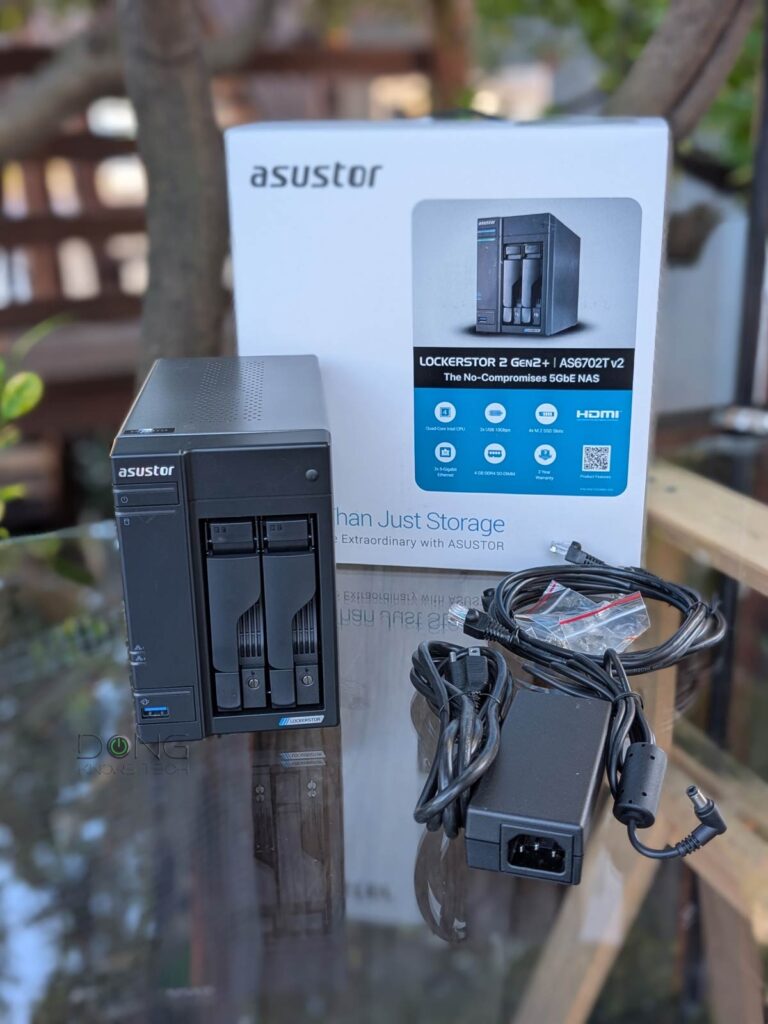
Out of the box, the new AS6702T v2 looks similar to the old AS4002T. It’s a dual-drive server with front-facing drive bays and two network ports on the back.
The new server comes with two 5Gbps Multi-Gig ports that can be combined into a LAG connection to deliver a 10Gbps bonded link for higher bandwdith. While these ports are clearly better than those of the Synology DS225+, there’s no 10Gbps upgrade option. Still, 5Gbps is plenty fast.
The AS6702T v2 features two USB 3.2 Gen 2 (10 10Gbps) USB-A ports. As a result, it can host two 4-bay AS5004U expansion units, increasing the total number of internal drives to ten.
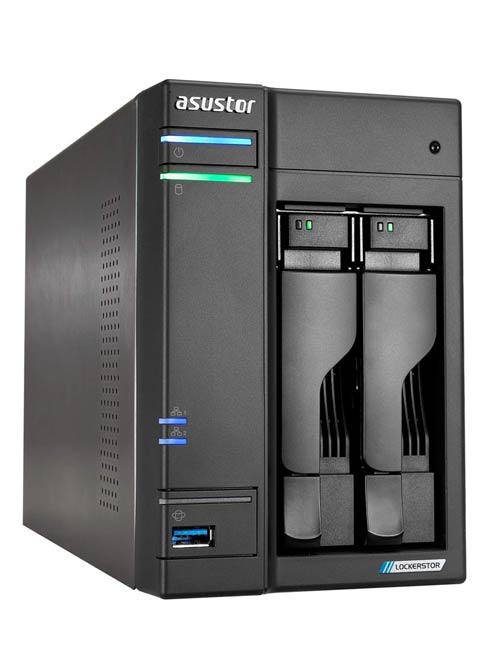
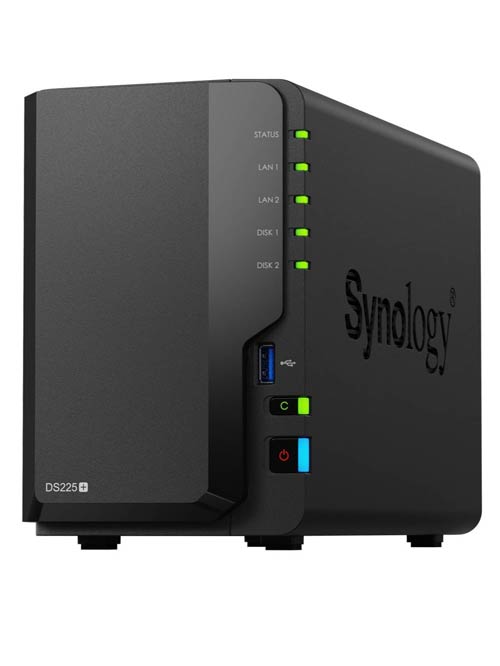
As a dual-bay server, by itself, the AS6702T v2 can host two standard SATA drives—3.5-inch desktop hard drives or 2.5-inch SSDs / laptop HDDs. But its storage capability doesn’t end there. In fact, that is where it clearly outdoes the Synology DS225+. Let’s start with the hardware specs, as shown in the table below.


ASUSTOR AS6702T v2 vs Synology DS225+: Hardware specifications and real-world power usage
 |
 |
|
|---|---|---|
| Model | AS6702T v2, Lockerstor 2 Gen2+ |
DiskStation DS225+ |
| CPU | Intel Celeron N5105 64-bit Quad-Core 2.0GHz (2.90 GHz burst) |
Intel Celeron J4125 64-bit Quad-Core 2.0 (2.7 GHz burst) |
| Stock memory | 4TB DDR4 (pre-installed module) |
2GB DDR4 non-ECC (onboard) |
| Max memory | Up to16GB (2x 8GB via dual slots—mixed capacities allowed) | 6 GB (2GB + 4 GB via a slot) |
| Support Drive Type | 3.5″ SATA HDD, 2.5″ SATA SSD | |
| Compatible Drive | Standard Drives | |
| Supported RAID type | Basic, JBOB, RAID 0, RAID 1 | Synology Hybrid RAID (SHR), Basic, JBOD, RAID 0, RAID 1 |
| Hot-swappable drive | Yes | |
| External port | 2x USB 3.2 Gen 2 (10Gbps) |
2x USB 3.2 Gen 1 (5Gbps) |
| Storage expansion | Up to 2x AS5004U or any USB drive (no integrated RAID with native drive bays) |
Up to 2x USB drive (no integrated RAID with native drive bays) |
| System fan | 1 x 70mm (replaceable) |
1 x 92mm (replaceable) |
| File System | Internal: Btrfs, ext4 External: Btrfs, ext4, ext3, FAT32, NTFS, HFS+, exFAT |
|
| Dimensions | 163.5 x 108 x 230 mm | 165 x 108 x 232.7 mm |
| Weight | 4.4 lb (2 kg) | 2.9 lbs (1.3 kg) |
| Network Ports | 2x 5Gbps (Multi-Gig) | 1x 2.5Gbps (Multi-Gig) 1x Gigabit |
| Link Aggregation | Yes (10Gbps) |
Yes (2Gbps) |
| Wake on LAN/WAN | Yes | |
| Scheduled power on/off | Yes | |
| Networking protocol | SMB, AFP, NFS, FTP, WebDAV, CalDAV, iSCSI, Telnet, SSH, SNMP, and VPN (PPTP, OpenVPN, L2TP) |
|
| M.2 Slot | 4x PCIe Gen 3 (storage or caching, non-hotswapable) |
None |
| 10Gbps Upgrade | None | |
| AC input power voltage | 100 V to 240 V AC | |
| Firmware (version at review) |
ADM 5.1.1.RCI1 | DSM 7 |
| Real-World Power Consumption (per 24 hours) |
≈ 371 Wh (tested with two 3.5-inch hard drives) |
≈ 275 Wh (tested with two 3.5-inch hard drives) |
| Warranty | 3-year | |
| US Launch Price (check street prices!) |
$569.99 | $399.99 |
Awkward storage bay design and inconvenient RAM upgrade
As mentioned above, the AS6702T v2 includes two bags of screws. One for installing 3.5-in hard drives (HDD) and the other for 2.5 drives. Each drive requires four screws to be attached to the drive tray.
This type of drive attachment is an unpleasant surprise, as tool-free attachment has been the expected norm for 3.5-inch HDDs for years. Even the ASUSTOR AS4002T, which came out almost a decade ago, had that convenient approach.
This screw-based design makes installing or replacing a drive painful. It proved tedious and time-consuming in my experience, not to mention the fact that I needed to fetch a fitting screw driver, and these tiny form-fitting, easy-to-lose crews are hard to replace.


The second design quirk of the AS6702T v2 is that you need to open its case to install NVMe solid-state drives (SSDs) or add more RAM.
The AS6702T v2 has four M.2 slots on top to host four NVMe SSDs in the standard 2280 form factor—you can install them without tools. The server also has two RAM slots, with the first (empty) on the outer side of its motherboard for relatively easy access, as shown in the photo above. The second RAM slot, which houses the stock 4GB RAM stick, is on the inner side of the board and requires significantly more disassembly to reach if you want to upgrade to 8GB.
To put things in perspective, most other NAS servers I’ve worked with don’t require serious disassembly to upgrade their RAM or storage. The point is that, if you want to make significant changes to the AS6702T v2’s storage and RAM, get a screwdriver ready, to say the least.
Flexible drive support, standard RAIDs only
As if to compensate for the inconvenient design, the AS6702T v2 proved to have excellent storage support in my testing. While it has its own lists of officially supported HDDs and SSDs, it worked with all drives, regardless of brand or release year, in my trial without any issues.
Most importantly, the server’s support for NVMe SSDs includes both caching and a storage pool. Furthermore, the NVMe volume can be the primary storage for the operating system and an app.
In other words, you can use the server purely with NVMe SSDs and ignore its native SATA drive bays entirely. That’s not something you can do with Synology’s consumer-grade NAS servers, which generally require Synology-branded NVMe SSDs for the storage pool, and only as secondary storage.
However, there’s one area where ASUSTOR’s ADM operating system can’t compete with Synology’s DSM: it lacks an equivalent to Synology’s flexible Hybrid RAID.
Consequently, you can’t mix drives of different capacities without losing storage space, nor can you increase a volume’s storage space without breaking the current RAID configuration (and losing existing data in the process). ASUSTOR’s ADM only supports standard RAID options.


Excellent web-based user interface with stand setup process
Setting up the AS6702T v2 was similar to setting up the DS225+. It took me less than half an hour to get the server up and running with two hard drives and four NVMe SSDs, excluding the time to install the drives.
Here are the general steps:
- Connect the server to your network using a network cable. Turn it on. Now you have two ways to continue:
- If you know the server’s IP address (which you can figure out via the network’s router), enter it in a browser with the “:8000” suffix (as shown in the screenshots). Or:
- Download and run the ASUS Control Center app, which will detect the server and show its status as “Uninitialized,” and double-click on its name.
- The server’s web-based user interface will launch and guide you through installing its ASUSTOR Data Master (ADM) operating system, which takes about 10 minutes over a fast Internet connection.
- After installing the OS, you’ll be asked to create accounts and log in to the server’s web interface to make further customizations and manage settings.
In other words, if you have worked with a standard NAS server before, or are familiar with Linux, the AS6702T v2 is self-explanatory. In a nutshell, it’s a full server managed via a rich web-based interface that functions similarly to that of a computer, such as an iPad or a Windows PC.
Powerful ADM 5.1 with PQC
Upon initialization, the AS6702T v2 runs ADM version 5.1, released in late 2025, the first version of the operating system to support Post-Quantum Cryptography (PQC).
As the name suggests, PQC is a new security technology designed to address potential future threats posed by quantum computers, known as “Harvest Now, Decrypt Later”: attackers can intercept and store encrypted data now and wait until powerful quantum computers are available for decryption.
ASUSTOR says that its official support for PQC Hybrid TLS encryption ensures that its NAS servers powered by ADM 5.1 (and later versions) can keep their data safe from future quantum-computer-based threats.
Robust interface, lots of apps
Other than that, ADM is similar to other Linux-based operating systems designed for NAS servers, though it has its own characteristics.
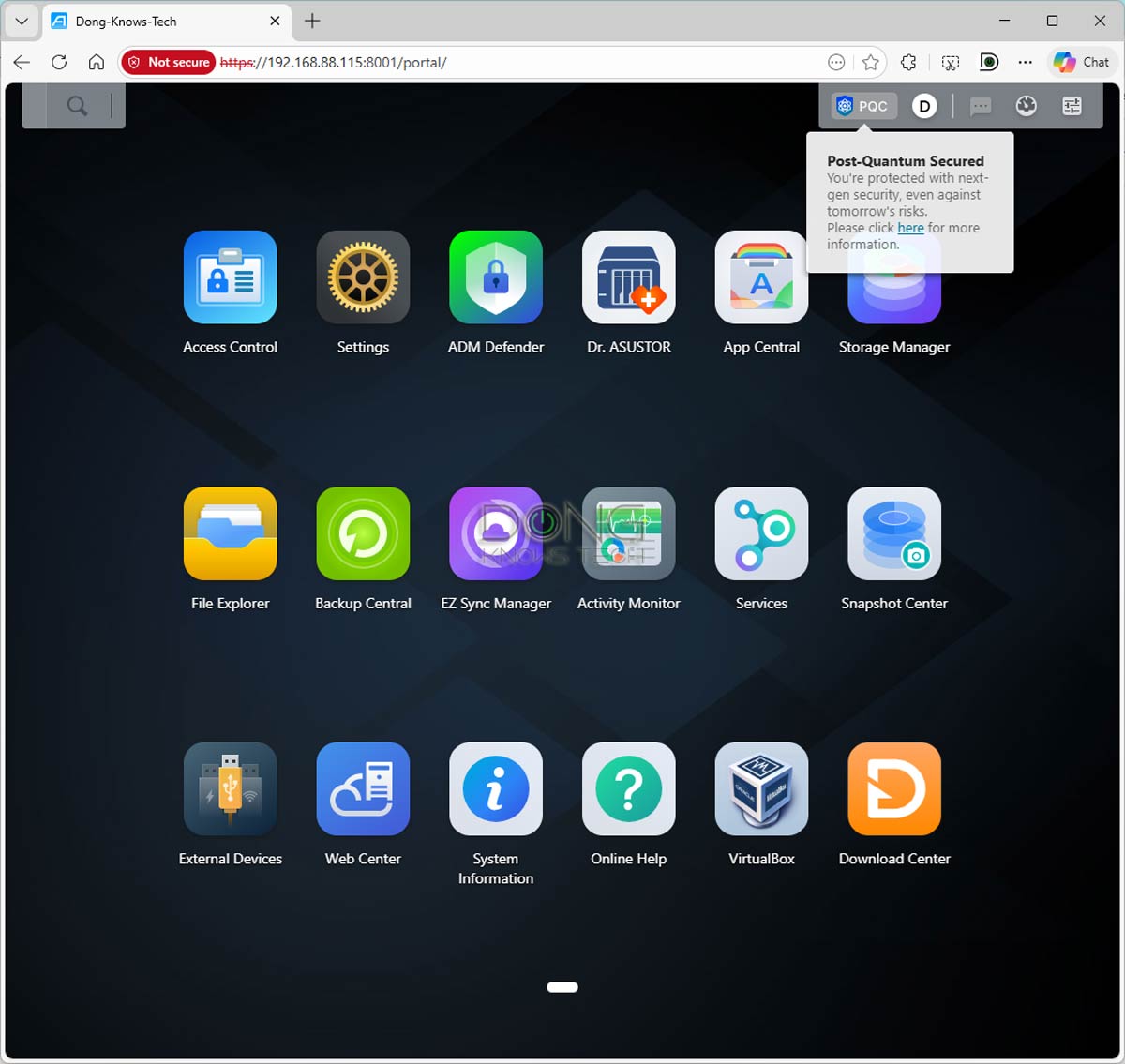
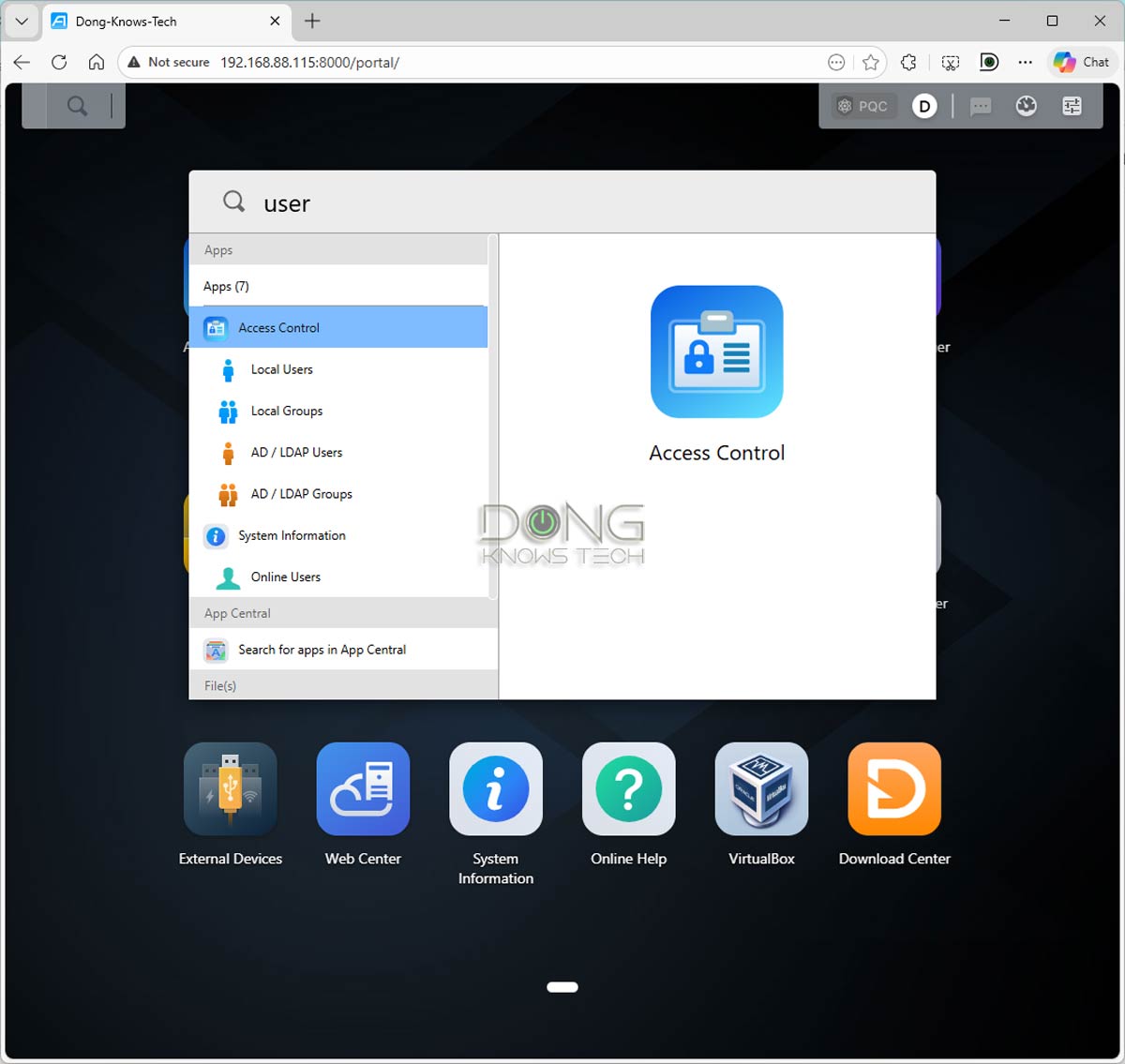
For example, unlike NAS operating systems from other vendors, such as Synology, QNAP, or UGREEN, ASUSTOR’s ADM doesn’t include a “Control Panel” for general hardware management. Instead, ADM includes a few separate applications: “Access Control” (for User accounts, Active Directory integration, etc.), “Services” (for Windows/Mac support and other protocols), and “Settings” (for Network connections, remote access, firmware updates, etc.).
The point is that ADM might take some getting used to, but it’s still easy to handle, especially since there’s a robust search function that lets users find the setting they need instantly. And ADM offers all standard functions of a server, including but not limited to:
- User management for data access and file sharing.
- Remote access via Dynamic DNS or EZ Connect via an ASUSTOR ID account.
- Windows Active Directory and LDAP integration for advanced domain-based storage and access management
- Shadow backup via Snapshot Center to protect data against accidental alteration or ransomware. Note: ADM’s Snapshot Center creates versions based on volume (not shared folders).
- Virtualization via Docker and VirtualBox.
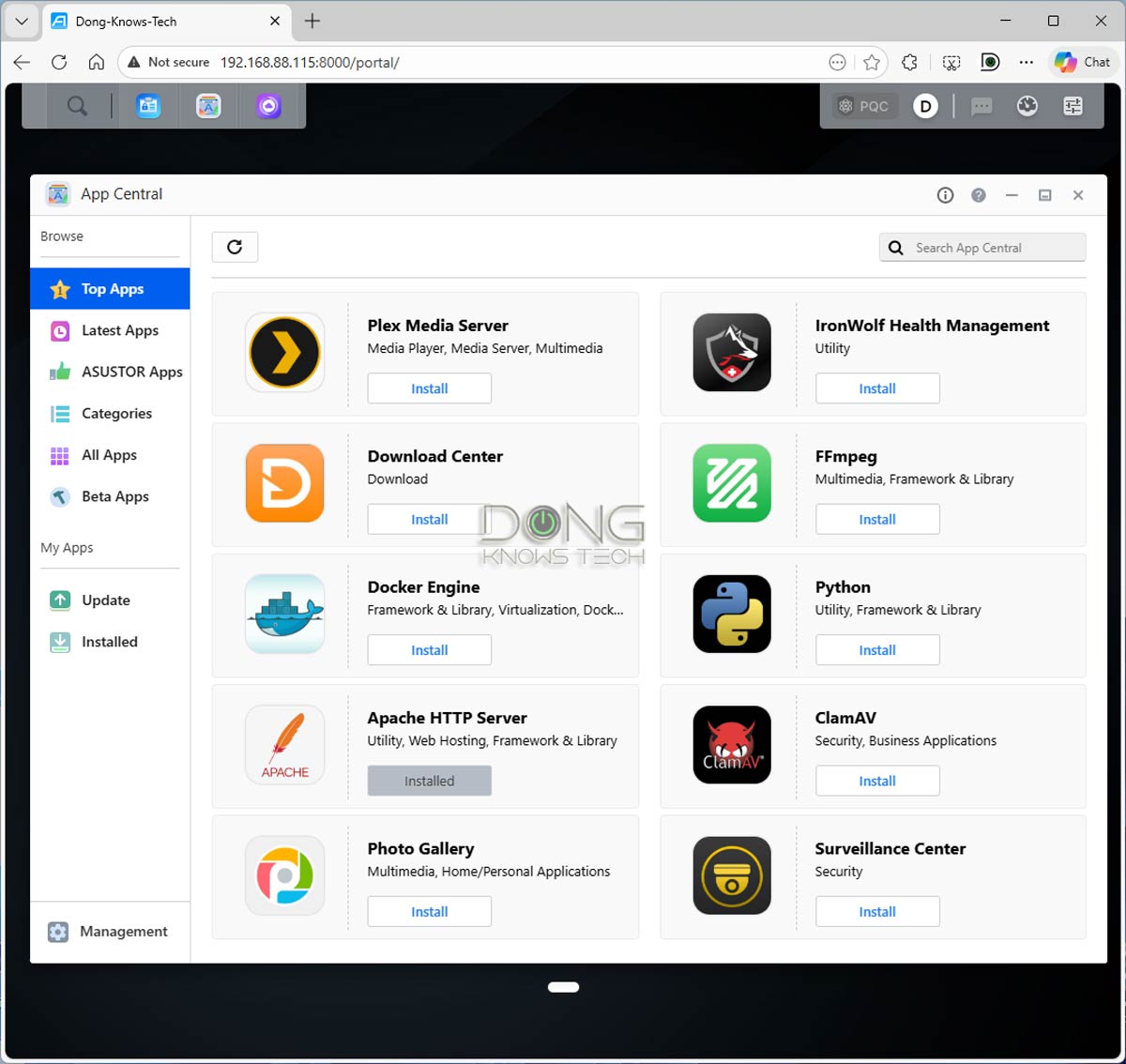
After that, the AS6702T v2 comes with about 150 official applications, accessible via “App Central,” to add more features and functions.
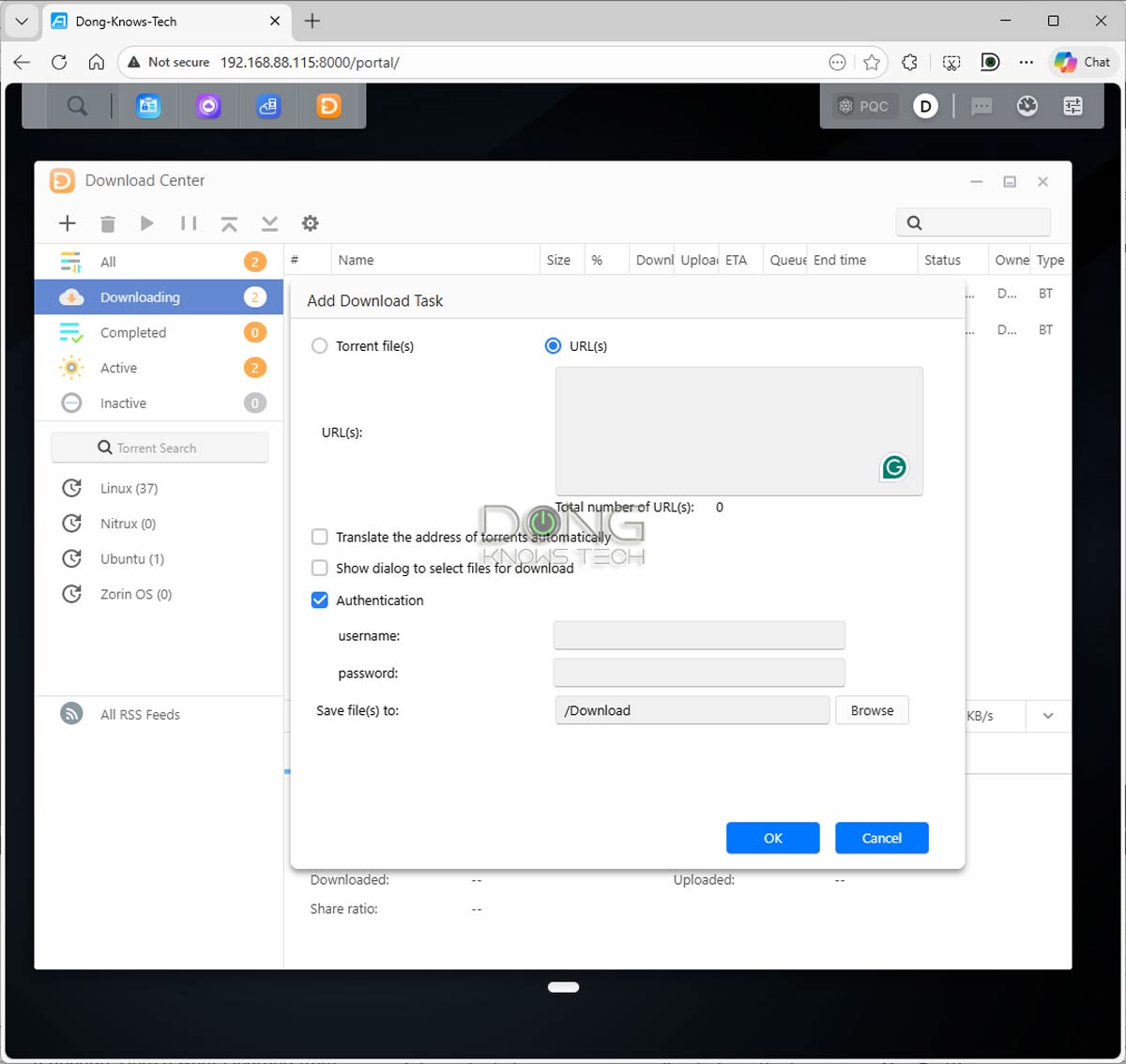
I tried them out, and they worked excellently. The Plex Server app, for example, is a standard app that works similarly to apps on other platforms. The Download Center app handles all types of downloads and includes a Torrent Search function that lets users find what they want and download it in a few clicks.
The AS6702T v2 also includes EZ Sync Manager, an excellent alternative to Dropbox that lets users back up and sync data across multiple devices.
Overall, thanks to ADM 5.1, the AS6702T v2 proved to be a powerful server, offering many features comparable to Synology’s DSM 7.
Well, almost.
More depth and overall refinement are needed
While AS6702T v2’s apps are generally much better than those in older ASUSTOR servers, many are still behind Synology’s in refinement and depth.
The Surveillance Center, for example, is far too simplistic, can’t detect the make and model of connected IP cams, and is overall many years behind Synology’s robust Surveillance Station. The Virtual Box app, which handles virtual machines, proved extremely hard to use.
As mentioned above, the Snapshot Center doesn’t offer versioning for shared folders; it applies to the entire volume, which can be inefficient for storage usage. Furthermore, none of the data sync or backup apps offer versioning, making it difficult to protect data against accidental deletion or alteration.
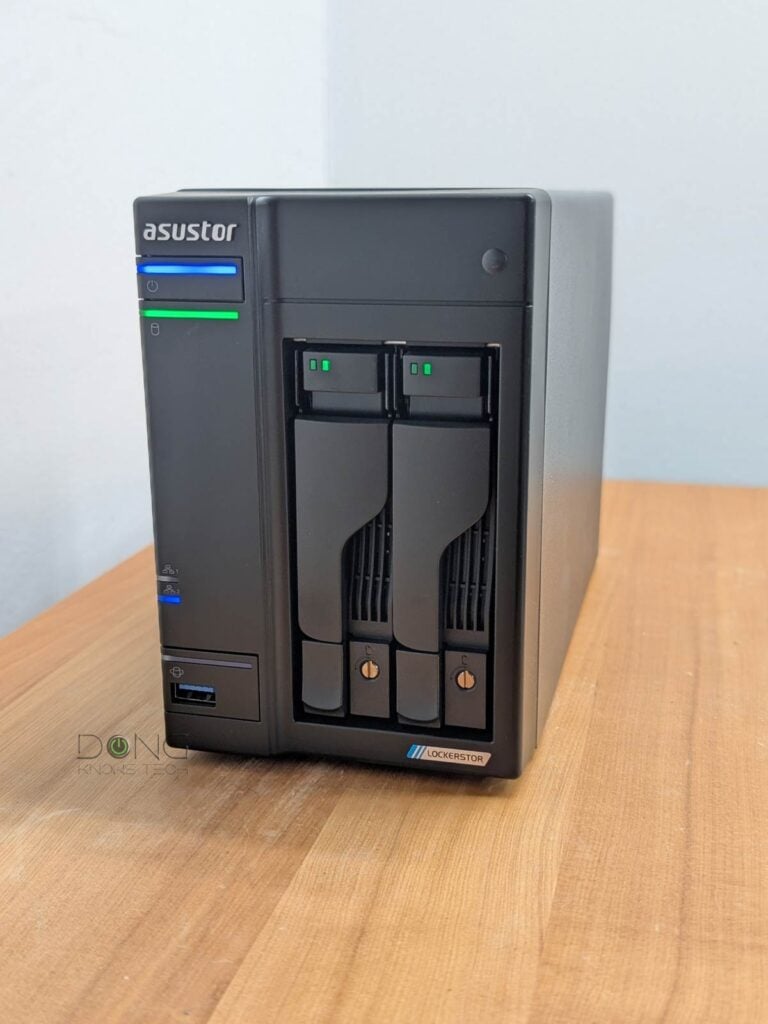
Overall, while ADM 5.1 has had many improvements over the years, it’s still far from the professional level of Synology’s DSM. However, if all you need is a fast NAS server, the AS6702T v2 is still a formidable machine.
ASUSTOR AS6702T v2 Lockerstor 2 Gen2+: Excellent performance
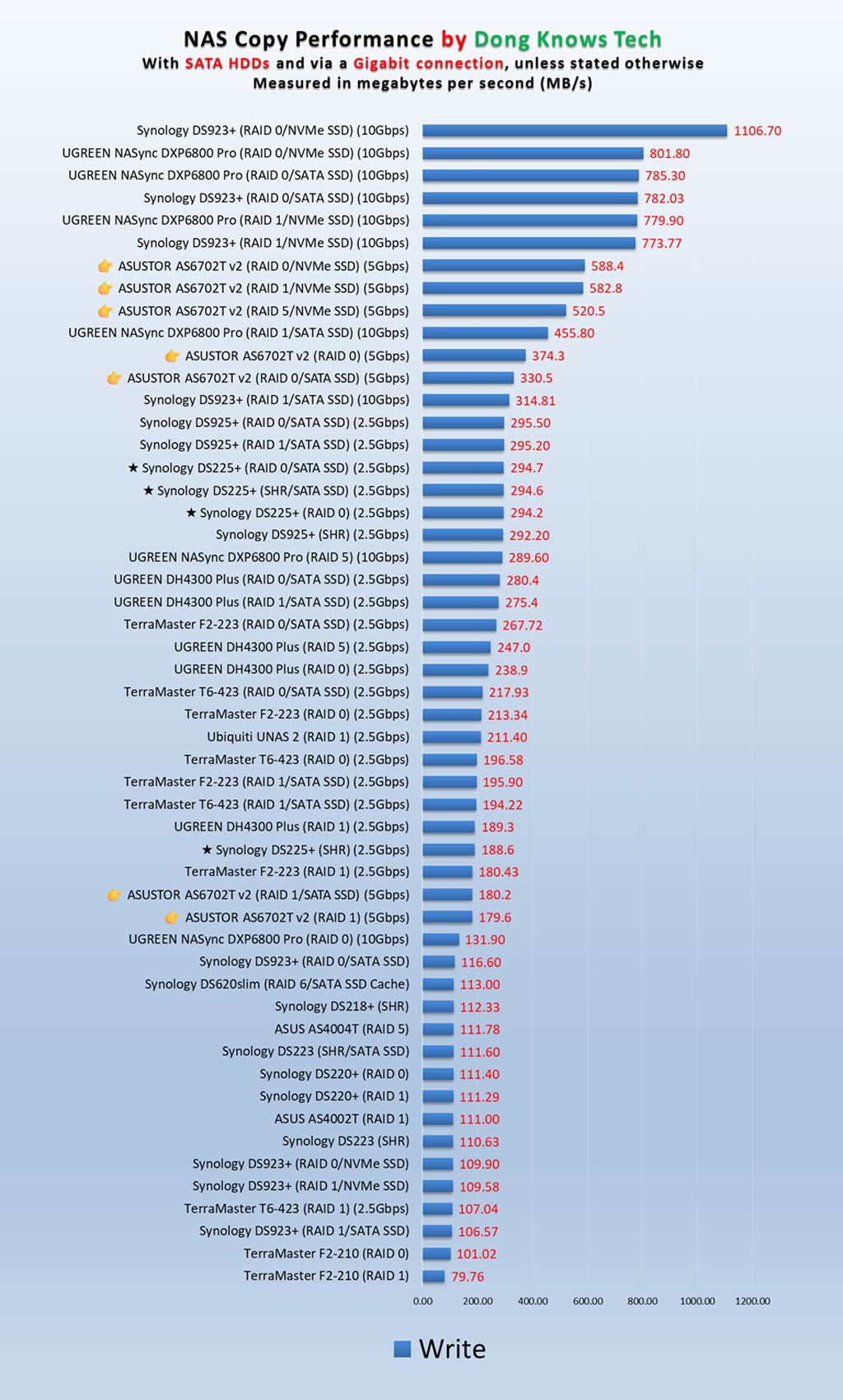
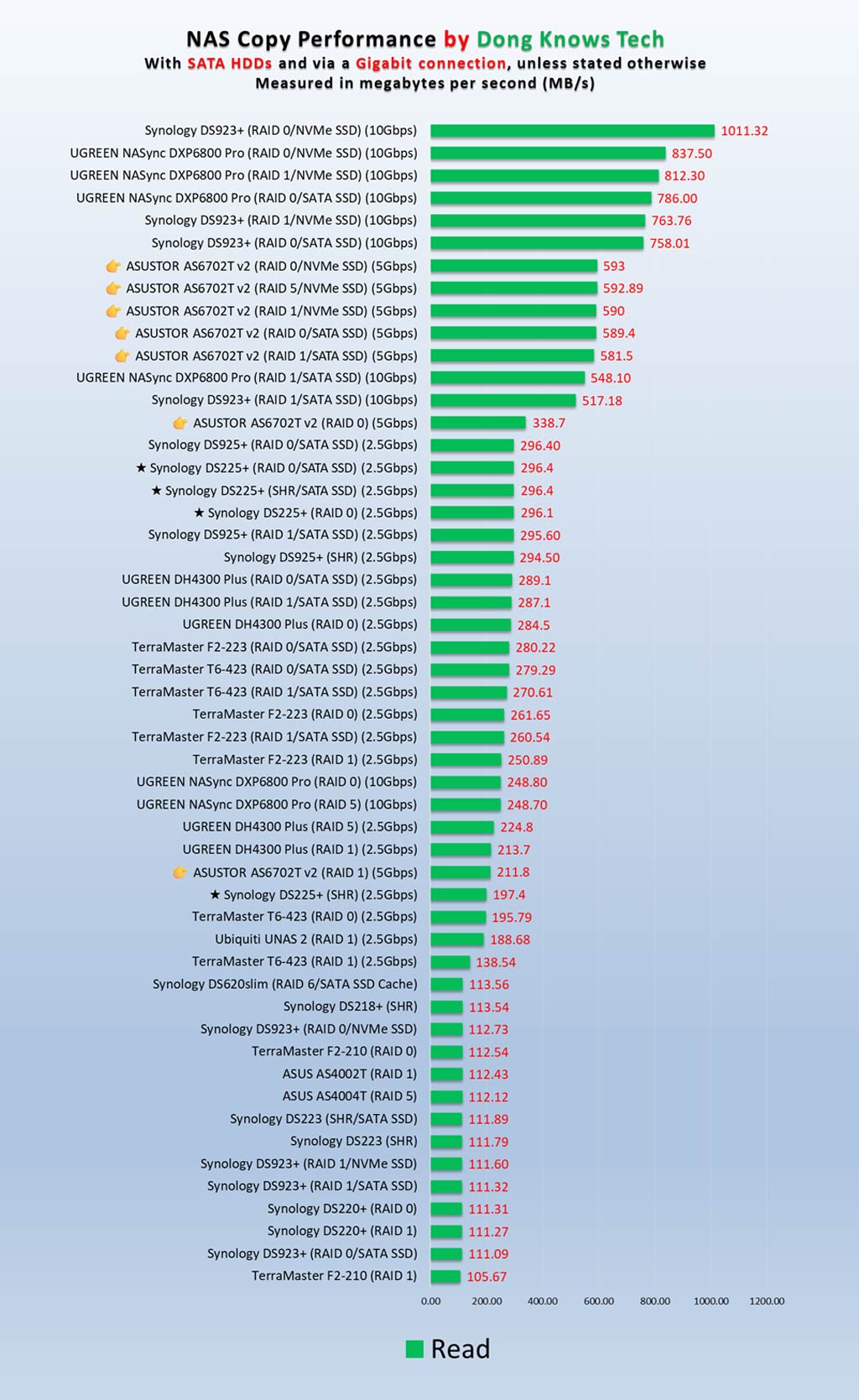
I tested the AS6702T v2 for over a week and was impressed with its performance. The server worked flawlessly, even during multiple RAID rebuilds, and was superfast over a 5Gbps wired connection.
As shown in the charts below, I tested it with all possible RAID options, including RAID 0, RAID 1, and RAID 5, using hard drives, SATA SSDs, and NVMe SSDs.
As mentioned, while this is a dual-band server with two native SATA drive bays, it is best used as a 4-drive NVMe server. In this case, you can use the hard drive as a backup volume.
The AS6702T v2 was completely silent during operation, with its fan producing no noise, and the server never became warm to the touch.
Pros
Fast and reliable performance via 5Gbps port grade
Excellent storage support with four NVMe M.2 slots for storage and caching
Lots of useful home and business apps, robust web-based UI with PQC support
Cons
Many applications still lack depth
Hard drives require screws and a tool, NVMe storage and RAM upgrades require disassembly
Conclusion
Like the case of all NAS servers, I didn’t have time to test everything the ASUSTOR AS6702T v2 Lockerstor 2 Gen2+ can do. However, based on my week-long experience, this is an excellent server for those with standard network-attached storage needs. In fact, it’s easily one of the most affordable servers that features four NVMe M.2 slots.
That said, if you can live with slightly slower performance and fewer storage options and want a more refined app experience, the Synology DS225+ is also an excellent and more affordable choice. Consider either of the two today!