
Synology today announced the official availability of its free BeeCamera feature for its BeeStation Plus network-attached storage (NAS) server.
As the name suggests, this adds camera-based surveillance capability to the consumer-friendly NAS server, similar to the Surveillance Station package available on Synology’s standard DiskStation NAS servers.
I tried BeeCamera for a couple of weeks with a CC400W camera, and it proved a useful, fun, and fitting addition to the simplified NAS server.
Here’s the bottom line: If you’re a fan of BeeStation Plus’ simple approach to network-based storage, the BeeCamera makes the server even more handy, as it can now work as an effective NVR for a modest security system. If that’s what you need, get the BeeStation Plus and a few Synology cameras, and you’ll be pleasantly surprised!
If you’re serious about home security, though, I’d recommend getting a real Synology NAS server and using the Surveillance Station app instead. Or try UniFi Protect.
Pros
Effective detection, straightforward footage management, and customization
Free upgrade without ongoing storage cost
Straightforward setup and management with up to 9 users
Cons
Fully app-operated, no web-based interface,
No third-party camera support or alarm option, four cameras max
Available only to BeeStation Plus
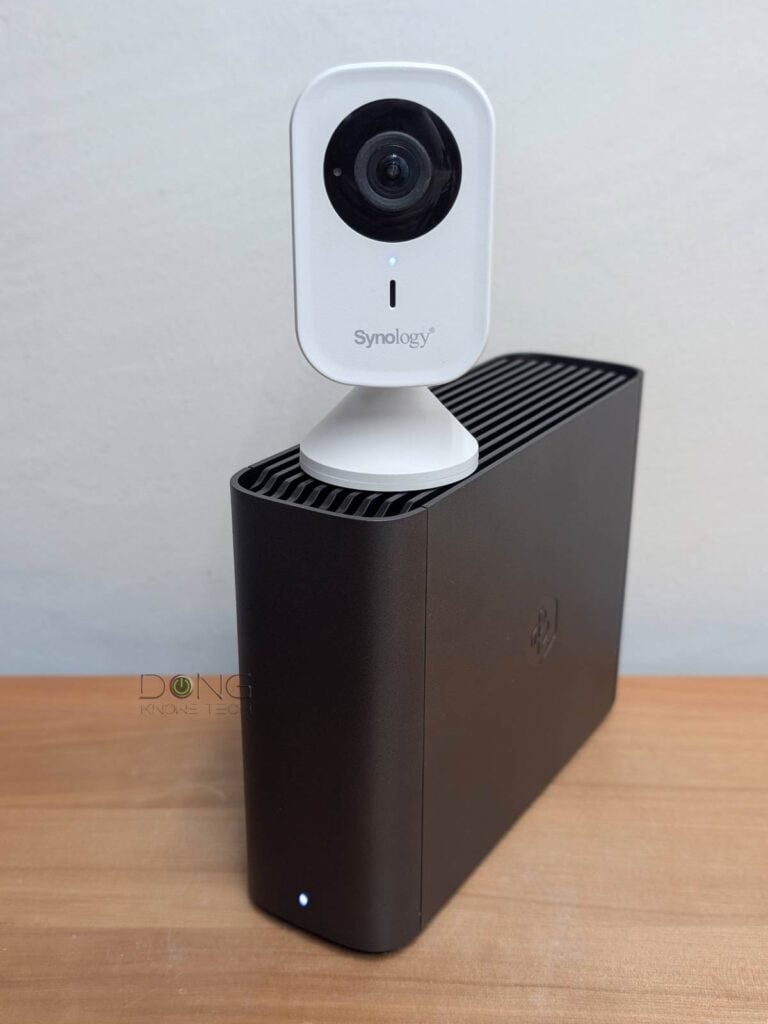
Synology BeeCamera: Turning the BeeStation Plus into an effective app-operated NVR
During my evaluation of the BeeStation Plus, I lamented that it was rather thin on functions and features compared to Synology’s “real” NAS servers. That pain is now eased by the introduction of the free BeeCamera app (available for Android and iOS).
The idea is quite simple: Download the app on your mobile device, then log in with the same Synology account you use for the BeeStation Plus, and it’ll work as a surveillance front-end app with the server working as the NVR. This setup is similar to using the DS Cam app alongside a DiskStation server running the Surveillance Station package.
Given that the BeeStation Plus is an abridged NAS server, its surveillance capabilities via the BeeCamera app are also limited. Here are a few things to keep in mind, as confirmed by my experience:
- To support cameras, the server must run BeeStation OS version 1.5 (or newer), which is a free update.
- The camera support is entirely app-based. Specifically, you can’t use the server’s web-based user interface to manage anything related to the cameras, such as connecting them, changing their settings, or viewing live feeds/recordings. Everything is done on the BeeCamera app.
- As with the BeeStation’s other resources and access, the BeeCamera can be shared with up to 9 users, including the owner.
- Each BeeStation Plus can support up to four cameras in a surveillance system.
And that brings us to the cameras themselves.

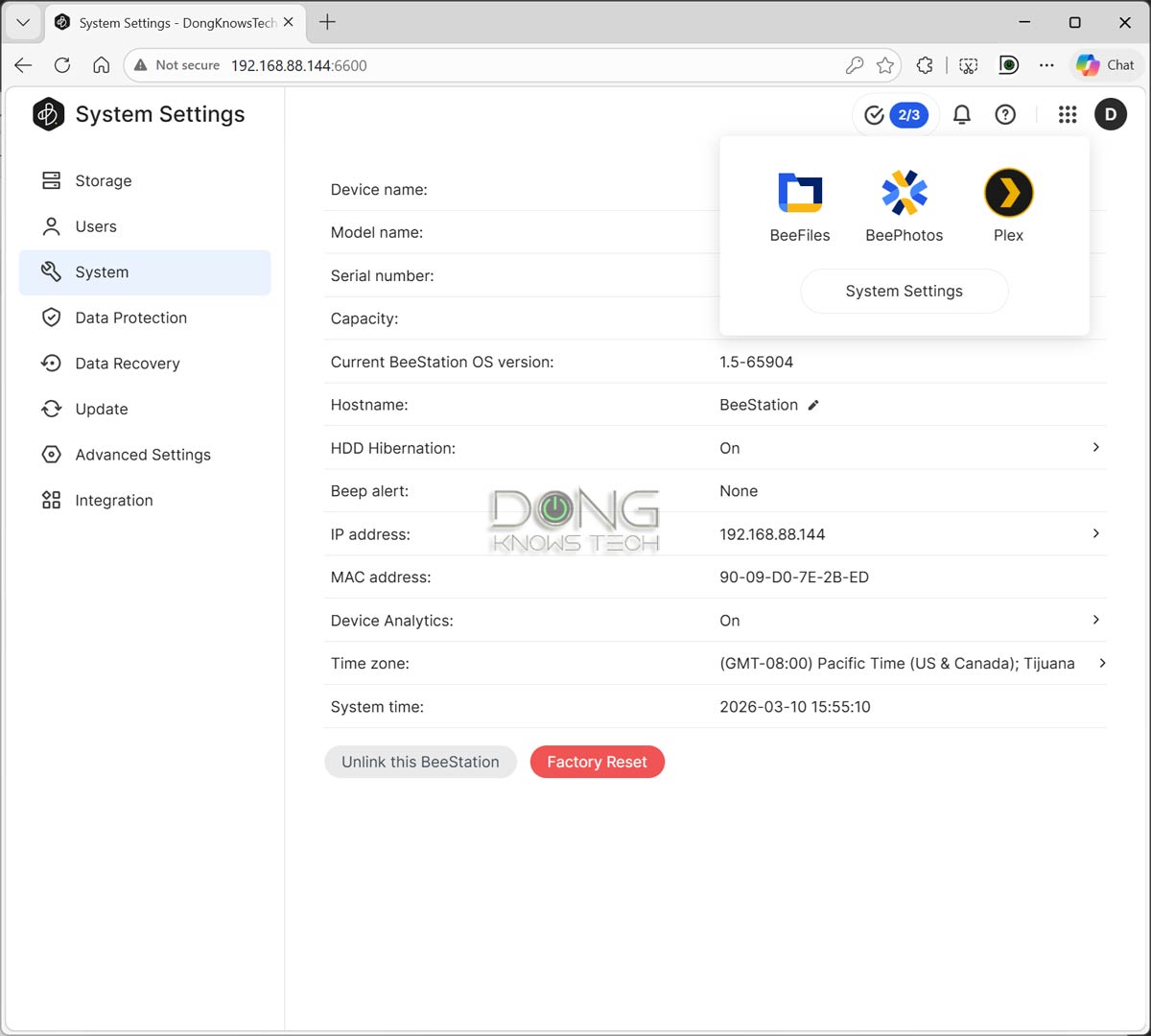
BeeCamera: Only Synology cameras are supported
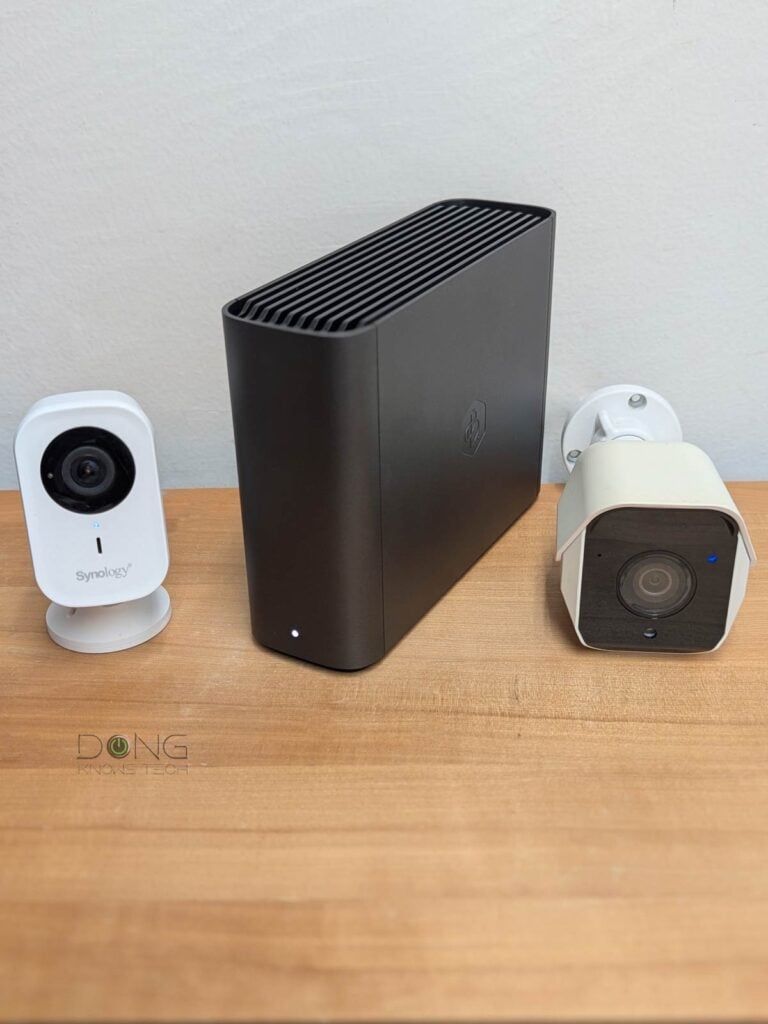
The BeeCamera supports a limited number of security cameras—for now, only three models, all from Synology. In addition to the CC400W I used for the trial, which is a Wi-Fi camera, you can also use Synology’s other two PoE cameras, the BC500 and the BT500.
Using Synology cameras means you won’t need to worry about camera licenses. In return, these cams are all significantly more expensive than the third-party alternatives with the same specs. The table below shows the hardware specs—follow the links for their in-depth reviews.
 |
 |
 |
|
|---|---|---|---|
| Synology CC400W | Synology BC500 | Synology TC500 | |
| Dimensions | 3.85 x 1.97 x 1.77 in (98 x 50 x 45 mm) |
Ø4.33 x 6.34 in (Ø110 x 161 mm) |
Ø3.82 x 3.46 in (Ø97 × 88 mm) |
| Weight | .4 lb (180 g) | 0.78 lb (353 g) | 0.85 lb (387 g) |
| Network connection | Wi-Fi 5 | Wired | |
| Power Source | USB-C adapter AC input: 110-240V DC output: 5V 1A |
PoE (802.3af) or 12V DC |
|
| Power Consumption | ≈ 45 Wh (per 24 hours as tested) |
4.8 W (per specs) |
|
| Operating Environment | • Temperature (IR off): -30°C to 50°C (-22°F to 122°F) • Temperature (IR on): -30°C to 40°C (-22°F to 104°F) • Relative humidity: 5% to 95% RH (non-condensing) |
||
| Certification | IP65, FCC, IC, CE, BSMI, VCCI, RCM, UKCA, KC, JATE | ||
| Max. Video Resolution | 4MP (2560×1440) @ 30 FPS | 5MP (2880×1620) @ 30 FPS | |
| Video Compression | H.264, H.265 | ||
| Field of View | 125° H, 72° V, 145° D (LDC ON) | 110° H, 56° V, 132° D (LDC ON) | |
| Night Vision | 10 meters | 30 meters | |
| 2-Way Audio | Yes | Only Microphone) | |
| Weather resistance | IP65 | IP67 | |
| Warranty | 2-years | 3-years | |
| SD Card Event Recording (Edge Recording) |
Event recording can be triggered by the following: •Instability in the network connection or disconnection from NAS •People & Vehicle Detection, Intrusion Detection, Motion Detection, Audio Detection, Tampering Detection |
||
| Event Analytics | People, Vehicle, Intrusion, Crowd, Loitering, Audio, Tampering, Motion | ||
| Instant Search | People, Vehicle, Motion | ||
| Auto Tracking | People | ||
| US Availability | May 2024 | May 10, 2023 | |
| US Launch Price (current street prices) |
$149.99 | $219.99 | $219.99 |
Synology told me that it might release more camera models in the future. For now, as mentioned, you can have up to four units of any mix of two or all three models above, in a system.
Simple setup process, in-depth customization for detection
No matter which model you pick, the setup process is simple. Here are the three simple steps:
- Get the feature ready via downloadable software:
- Get the BeeCamera mobile app on your device.
- Log in to the BeeStation Plus’ interface and update it to the latest BeeStation OS (version 1.5 or later is required).
- Get the camera ready:
- For the CC400W (Wi-Fi): Plug it into power using the included power adapter.
- For the BC500 or TC500: Connect it to the existing network via PoE—you must have a PoE switch or use a PoE injector.
- Optional: add a microSD card to the camera for Edge recording—the camera automatically stores recordings on the card when a network connection is unavailable and syncs them with the server when reconnected, maintaining a complete detection history in the system.
- Add the camera to the system: When the camera’s status light blinks blue, open the BeeCamera app, log in with the same Synology account used for the BeeStation Plus (make sure your mobile device is connected to the same Wi-Fi network), and follow the short on-screen step-by-step guide to add it.
And that’s it. The camera will automatically update itself to the latest firmware (if any) and become ready. Repeat from step #2 to add more cameras—you can use up to four in a system.
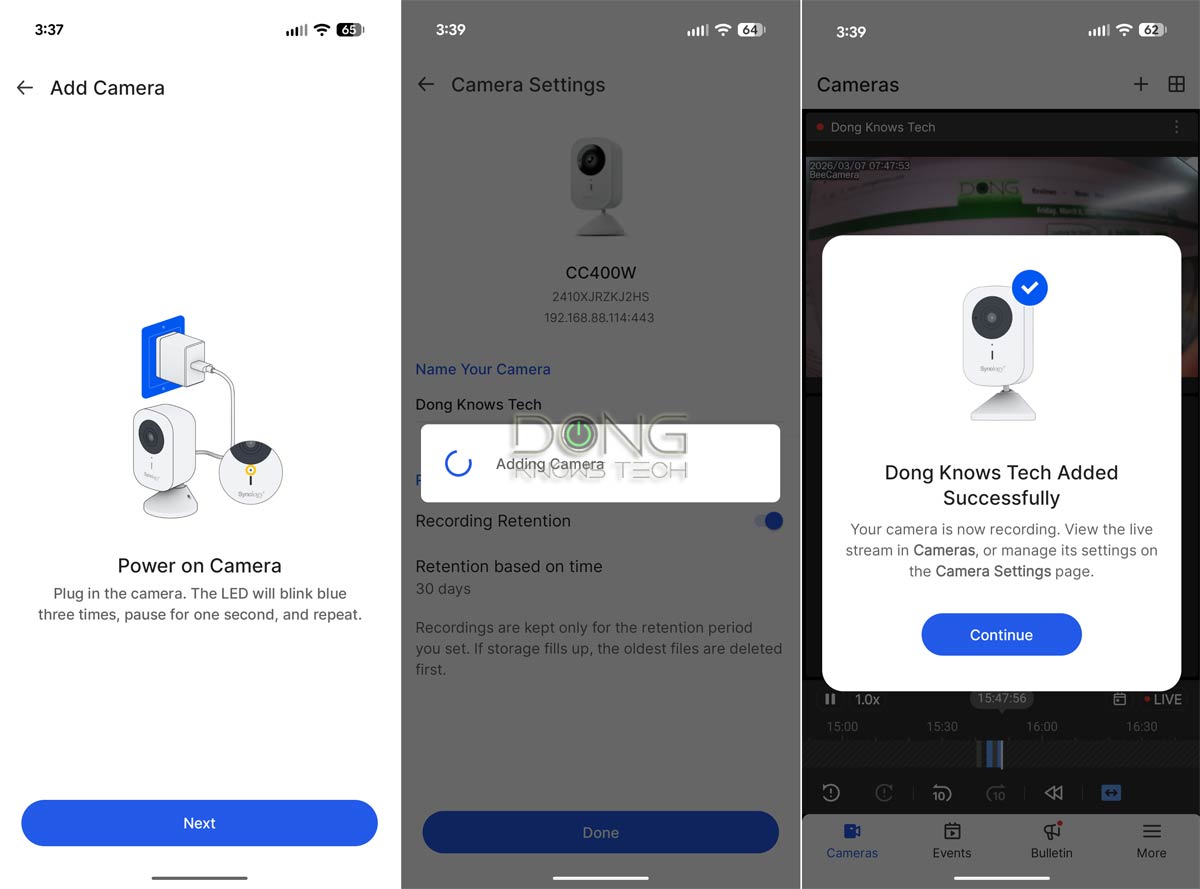

Overall, it took me less than five minutes to add the CC400W, including the time to enter the Wi-Fi information—it was detected by the app via Bluetooth. Once added, the camera is available for management in the app, both locally and when you’re out and about.
With each camera, the BeeCamera app offers a standard set of customization options for image quality, recording settings/management, and detection, though not as in-depth as Surveillance Station, whose web-based user interface offers many more advanced features.
In any case, for standard home surveillance, the BeeCamera app has everything they’d need for monitoring and recording management, as long as they don’t expect advanced or extended features such as alarm or two-way voice communication.
BeeCamera: Reliable performance
I tried BeeCamera for a couple of weeks, and it worked as well as I could expect from such an app-based solution. The CC400W camera itself worked the same as when it was hosted by Synology’s fully-scale Surveillance Station, in all counts.
The detection proved accurate and reliable, and I was able to quickly find recordings by time, object type, and other parameters. For the most part, the app worked well and was responsive. Still, now and then, I miss the ability to manage the system via a big screen.

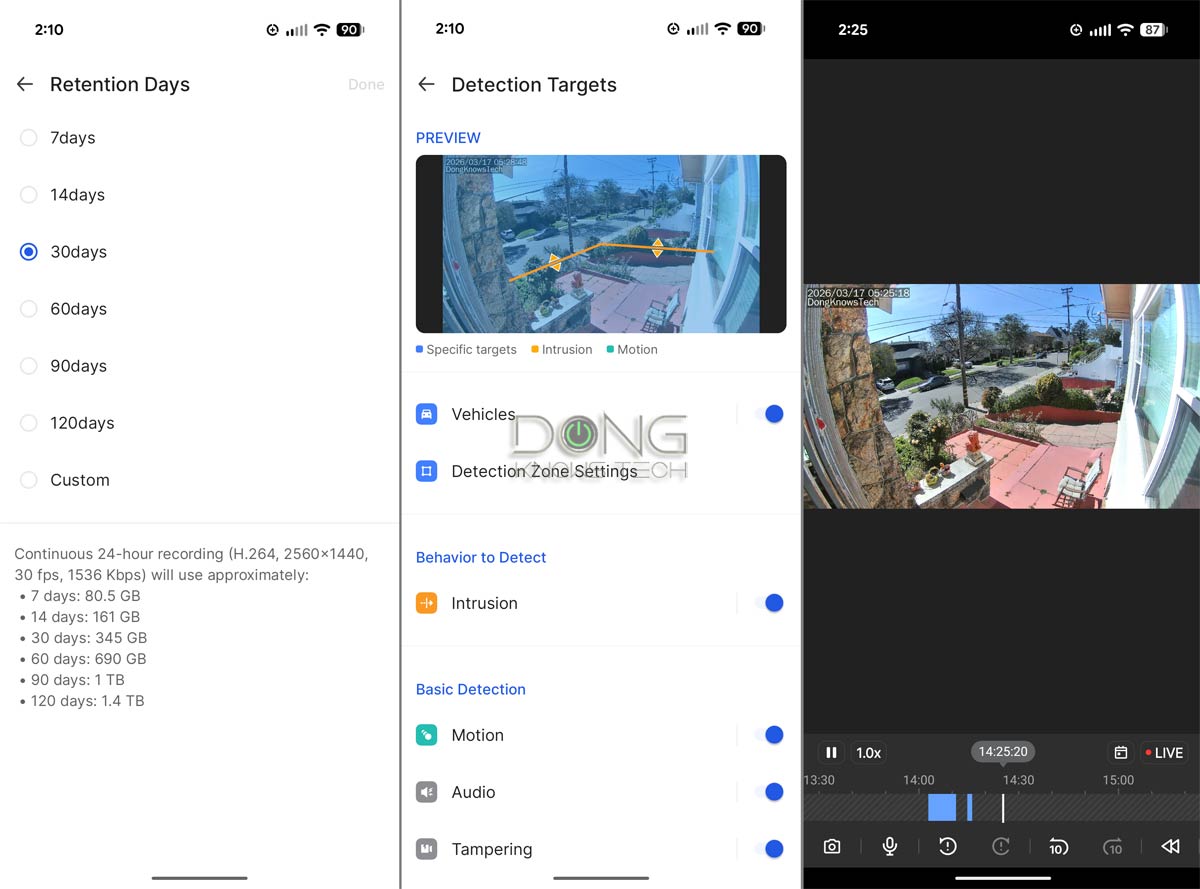
Since the BeeStation Plus has no HDMI cable and the BeeCamera has no desktop application, using a large tablet, such as an iPad, is the only option for effective live view for real-time monitoring of connected security cameras.
Some (expected) lags
And having that type of real-time live view is helpful, given that BeeCamera, like many camera apps, can take a bit of time—between a few and tens of seconds—to connect to the camera once launched.
Let me give you an example: If you place a camera at the front of the house and someone rings the doorbell, by the time you manage to open the app and see the live footage on your phone, that person might already have left.
This initial lag becomes unbearable if you want to quickly check on your home while connecting remotely, such as when you’re traveling. However, that’s a common case of most app-operated surveillance systems.
That said, overall, the combo of the BeeCamera and BeeStation Plus worked well in my trial. In fact, it proved to be a surprisingly well-thought-out surveillance system.
Conclusion
The new BeeCamera brings some excitement to the BeeStation Plus. In fact, it makes the combo of the server and a few Synology cameras a viable boutique surveillance system for a typical home. As long as you need no more than four cameras and don’t expect the same feature set as Synology’s Surveillance Station, you’ll be happy with it.
So, if you already have the BeeStation Plus or are considering one, there’s no reason not to get a few cameras and try this new feature today!