
In case it’s not clear, I’m not a fan of Wi-Fi extenders—often incorrectly referred to as “Wi-Fi boosters”. The best way to scale up Wi-Fi coverage is with a Wi-Fi system, such as a mesh network or preferably one with wired backhaul.
But extenders are always the easiest way to do the job and sometimes even the only way—not all of us have the luxury or skill to drill holes to run network cables. So, the idea of using a Wi-Fi extender is to make the best out of an unideal situation.
And that’s the point of this post. You’ll find here the concept of extending Wi-Fi wirelessly, how to pick the best extender for your home, when they can actually be an excellent choice, and when you want to avoid them.
Dong’s note: I first published this piece on Feb 1, 2023, and last updated it on April 22, 2026, with the latest information.

Wi-Fi extenders: The perceived convenience at the expense of many shortcomings
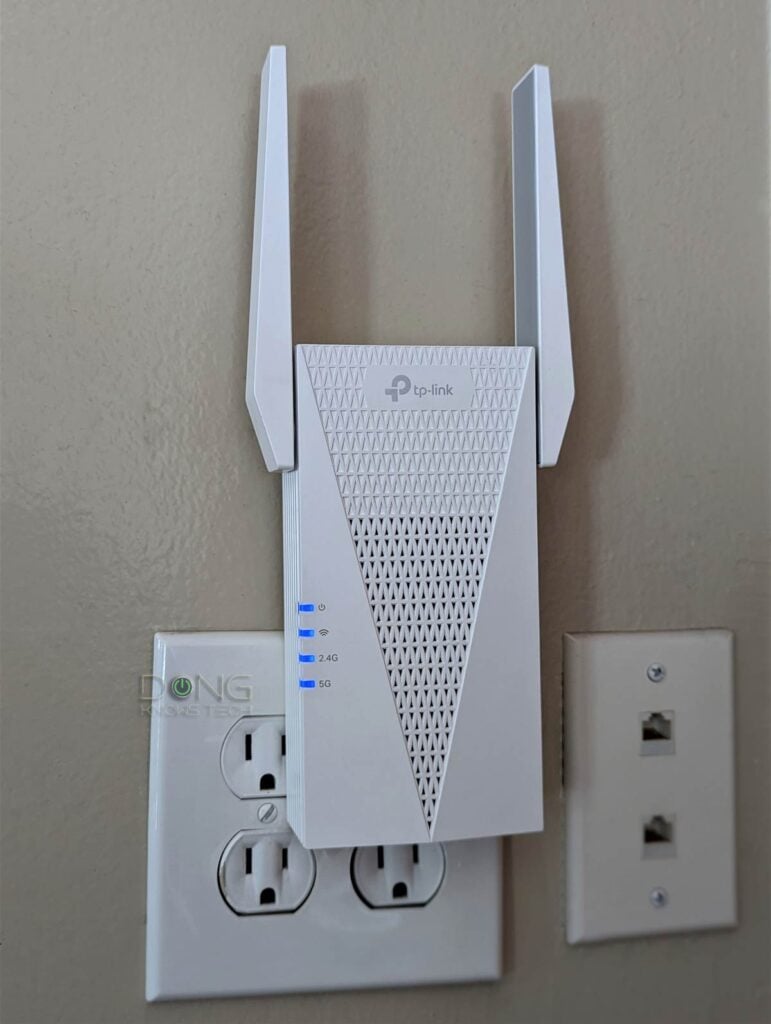
As the name suggests, a Wi-Fi extender—or range extender—extends the Wi-Fi range of an existing broadcaster (a router or an access point).
Specifically, an extender connects itself to a Wi-Fi network—just like any Wi-Fi device—and then broadcasts its own Wi-Fi network to relay the connection of the original one. For this reason, extenders are often correctly referred to as Wi-Fi repeaters.
Some extenders have network ports to host wired clients. In this case, it also works as a media bridge, which is a Wi-Fi-to-Ethernet adapter.
In any case, extenders are convenient by design, providing a quick way to scale up the Wi-Fi coverage of an existing home network when running network cables or getting a mesh unit isn’t possible.
Specifically, place an extender at a reasonable distance from the original access point (or Wi-Fi router), configure it accordingly, and you have Wi-Fi coverage at that far corner.
And that convenience is generally the only upside of using an extender—you can use any extender with any existing Wi-Fi network. With that, let’s move on to a long list of this approach’s shortcomings.
Slow speeds due to signal loss
Because it must handle both receiving and transmitting, a Wi-Fi extender generally uses half of its wireless bandwidth for the uplink (backhaul) and the other half for the downlink (clients).
As a result, even in the best-case scenario, clients have only half the bandwidth they had when connecting to the original access point. I often call this phenomenal signal loss.
Backhaul vs. fronthaul
When you use multiple Wi-Fi access points—in a mesh Wi-Fi system or a combination of a Wi-Fi router and an extender—there are two types of connections: fronthaul and backhaul.
Fronthaul (or downlink) is the Wi-Fi signals broadcast outward to clients or to local area network (LAN) ports for wired devices. It’s what we generally expect from a Wi-Fi broadcaster.
Backhaul (a.k.a. backbone) or uplink, on the other hand, is the link between a Wi-Fi satellite unit and the network’s primary router, or between satellite units.
This link works behind the scenes to keep the hardware units together as a system. It also determines the ceiling bandwidth (and speed) of all devices connected to the particular Wi-Fi satellite unit.
- Hardware of Wi-Fi 6e, Wi-Fi 6, or Wi-Fi 5 standards always uses one of its bands (2.4GHz, 5GHz, or 6GHz) for the uplink. In this case:
- When a Wi-Fi band handles backhaul and fronthaul simultaneously, only half its bandwidth is available to either end.
- When a Wi-Fi band is used solely for backhauling, often available in tri-band hardware, the link is called a dedicated backhaul.
- Most Wi-Fi 7 satellite units can use multiple bands for the backhaul link thanks to the MLO feature.
For the best performance and reliability, network cables are recommended for the uplink or wired backhauling, an advantage of mesh Wi-Fi hardware with network ports. In this case, a Wi-Fi satellite unit can use its entire Wi-Fi bandwidth for the fronthaul.
On top of that, extenders tend to increase connection latency, making them unsuitable for real-time communication, such as video conferencing or online gaming.
It’s important to note that an extender’s actual Wi-Fi speed has little to do with how strong its signal is for the Wi-Fi client connected to it. Your device might show full Wi-Fi bars when connected to one, yet still get slow Internet or not even get online.
That’s because all devices connected to the extender share its backhaul uplink. If this link has low bandwdith, such as when the 2.4GHz band is used—often the case when the extender is far from the original access point or separated by a thick wall—the actual connection (to the Internet) of its clients will be slowed to a crawl, no matter how fast your broadband speed or your original router is.
Possible interference with the existing network, hard to manage
To be clear, the type of signal loss mentioned above is also present in a mesh Wi-Fi system—one in which the hardware units connect to one another wirelessly.
However, in a Wi-Fi mesh system, all mesh units (mesh points) are managed by a central controller, which allows them to work together effectively to deliver seamless handoff and minimize interference. An extender connected to a third-party Wi-Fi network operates independently and can cause unnecessary interference with the network it extends, adversely affecting the speeds of both.
On top of that, even when you program the extender’s SSID (network name) to share the same name and password as that of the original router, you still have two independent Wi-Fi networks in the same airspace. And that means:
- You can’t manage them in one place—if you change the SSID or password on the router, you’ll have to re-set up the extender, or it’ll be disconnected.
- There’s generally no seamless handoff when you move around the house. Clients tend to cling to either until you manually disconnect and reconnect them, or until there’s no signal.
The point is that managing a home network that includes one or a few extenders can be a real pain.
The issue with virtual MAC addresses
When using Wi-Fi extenders, keep in mind that most of them use virtual MAC addresses for connected clients. Specifically, devices connected to an extender will register to the network using a random MAC address instead of their own.
If a device first connects to the primary router using its true MAC address and later connects to the network via an extender using the same MAC address before its original IP lease expires, the system might interpret this as multiple devices sharing the same MAC address, and the device might not be able to connect.
Consequently, any features that rely on MAC to identify a device, such as MAC filtering, IP reservation, Parental Controls, and so on, will not work well, if they work at all.
Many IoT (Internet of Things) devices, “smart devices” in general, also need to connect using their real MAC addresses to work. At the very least, the MAC address change will cause the device to get a new IP address each time it connects to the network, and that alone can be problematic, as detailed here.
Depending on the situation and hardware, there might be ways to overcome this virtual MAC issue, but the process is quite involved.
Picking the best Wi-Fi extenders: The real-world tips
Not all extenders are created equal, nor do they work the same with all existing networks. In fact, if you use the right extender, it can pretty well, even very well.
And that brings us to when to even consider an extender
When to consider an extender
Extenders don’t make sense when you can or need to avoid them. Specifically:
- If your home is wired with network cables, go with access points instead. (Wi-Fi access points are similar to extenders except they use a network cable for the backhauling.)
- If you need the fastest possible Wi-Fi performance, or if you have Gigabit-class or faster, and want to get the most out of it, you need to consider running network cables around the house.
- If you need to use more than one extender to cover the entire home, consider a mesh Wi-Fi system instead.
Tips: Extenders vs. mesh point
A mesh Wi-Fi system consists of multiple Wi-Fi broadcasters that work together and can be managed from a single location, such as the router unit or a controller. That’s not automatically the case when you use a few standalone Wi-Fi extenders or access points. You have to use the hardware designed to work together.
That said, in a system with wireless backhauling, each satellite unit is essentially a centrally managed Wi-Fi extender. Similarly, in a mesh with wired backhauling, each satellite unit is essentially a centrally managed access point.
The most significant difference between a Wi-Fi system vs. using multiple individually managed Wi-Fi units is that the former gives you better ease of use, low (or no) interference between broadcasters, and seamless handoff, while the latter doesn’t.
On the other hand, getting an extender makes sense when:
- If you only need to extend the coverage just a bit more to fully blanket a specific area.
- If you are OK with modest connection speeds, something that is sustained at around 200Mbps or lower.
- If you have no better option.
The most important thing to keep in mind is that not all extenders are created equal in every situation.
Picking the right Wi-Fi extender
A couple of things to note in choosing the right extender.
- Network port: If an extender has a network port, it can likely also work as an access point. It’s a great option in case you get your home wired later on. IF not, the ability to connect a wired device never hurts, either.
- Wi-Fi standard: It’s best to pick an extender of the same Wi-Fi standard (and tier) as the existing access point/router. If that’s not possible, pick one that’s one generation behind. So if you have a Wi-Fi 6 router, get a Wi-Fi 6 extender or Wi-Fi 5 extender. Having the latest Wi-Fi 7? Avoid using Wi-Fi 5 and older extenders.
- Possible mesh mode: All extenders work as generic devices by default and will fit into any Wi-Fi network. However, some extenders, when coupled with supported routers from the same vendor, can become a managed mesh satellite unit. Specifically:
That said, it’s best to get an extender from the same hardware vendor as your existing router.
The takeaway
Wi-Fi extenders are somewhat of a last resort in scaling up your wireless coverage. Generally, the results range from good (best-case scenario) to really bad. Your mileage will vary, but it’s safe to say you’ll never get a great Wi-Fi network with extenders.
Generally, it’s best to run a few network cables to ensure a robust Wi-Fi system. If you can’t do that, consider a serious Wi-Fi 7 mesh system instead.