
Ubiquiti today announced the UniFi Dream Machine Beast (model UDM-Beast) as the latest in its “Dream Machine” series of UniFi Cloud Gateways. And boys, this thing drops with a bang!
This brief first take will fill you in on the details, but let me cut right to the chase: from what I’ve seen, the UDM Beast has everything to more than justify its hefty $1499 price tag, which is a little shy of three times the UDM Pro Max’s cost.
So, if you’re a fan of the UniFi ecosystem, get a handkerchief ready for the drool that may soon land on your chin.
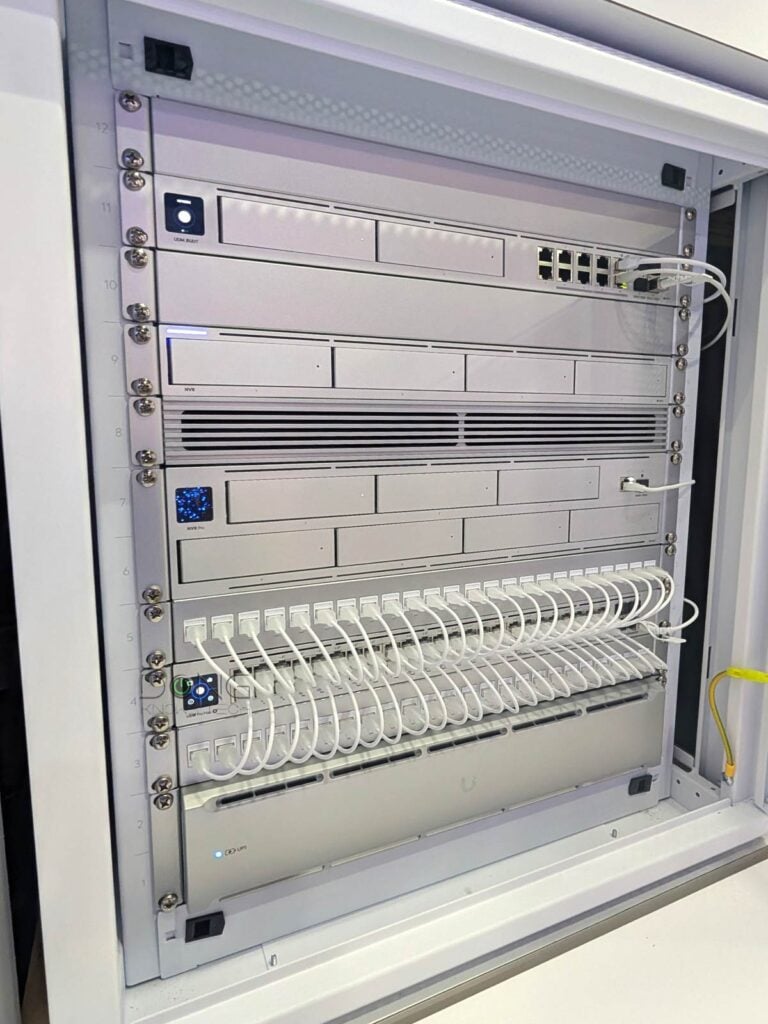
Ubiquiti UniFi Dream Machine Beast: Shattering the 10Gbps barrier and much more
I reviewed the UDM Pro Max last year and called it the “ultimate” home-friendly rackmount UniFi Cloud Gateway of the year. At the time, it was the highest-level rackmount hardware I’d consider for a home environment.
And that “ultimate” notion has indeed held: the UniFi Cloud Gateway has worked well in daily use thanks to its two 10Gbps SFP+ ports and vast processing power, among many other things. Alas! Its top-tier hardware is now rendered “modest” by the UDM-Beast.
The new name itself—Beast—is a bit of a digression from the norm, but fitting nonetheless. Considering the new UniFi console’s abrupt leap in hardware specs, it’s far more significant than the incremental improvement from the UDM-SE to the UDM Pro Max.
Same design, totally new hardware
Out of the box, the new UniFi Dream Machine Beast, which is a UniFi Cloud Gateway (a.k.a. UniFi console), retains the design and feature set of the UDM Pro Max. The two look essentially identical and are both container devices running UniFi OS.
UniFi console in a nutshell
A UniFi console is always a container device that runs UniFi OS plus one or more UniFi applications, with Network being the most significant—the primary app.
However, not every UniFi console is equipped with this app. Network-enabled UniFi consoles are called “UniFi Cloud Gateways” (UCGs) and include the UniFi Dream series, such as Dream Machine (UDM) or Dream Wall (UDW)—all of which are UniFi “routers” if you prefer to call them that way.
A few UCGs have just this Network app—they are Network-only UniFi consoles. Most UCGs can host additional applications to qualify as a multi-app, Network UniFi consoles.
All UniFi Cloud Gateways (a.k.a. Network-enabled UniFi consoles) share the same basic features and settings. However, their capacities—specifically the number, breadth, and depth of UniFi applications they can handle simultaneously—vary depending on the hardware specifications.
The following are the current UniFi applications, with the first six belonging to the original UniFi Application Suite:
- Network (primary): This application enables the hardware to function as an advanced router, thereby qualifying it as a “UniFi Cloud Gateway” (UCG). This app handles all network-related aspects, including security, firewalls, access points, Wi-Fi system management, and more. On a UCG, the Network app is the default and can’t be uninstalled.
- Protect: The support for IP cameras as an advanced surveillance system, including a built-in UniFi Network Video Recorder (UNVR) of a UniFi console. Protect is the default app of a standalone UNVR. Generally, a standalone UNVR is a multi-app, non-Network console that can also host the Access and InnerSpace applications, but it’s often classified as a “Protect-only UniFi console”.
- Talk: A locally hosted Voice-over-IP system.
- Access: A “platform designed for Access Control Systems”—per Ubiquiti. Examples include door-related security IoT devices such as doorbells, key fobs, and locks.
- Connect: Application that manages digital signage and EV Stations
- InnerSpace: A visualization tool that allows users to map out their UniFi network by uploading floor plans, drawing walls, etc., for the deployment of UniFi devices.
- Drive: The latest app that turns a UniFi console into a UniFi network-attached storage (NAS) server, known as a UNAS. Generally, a UNAS server is a single-app non-Network UniFi console—it’s a “Drive-only UniFi console”.
Each of these applications is a world in itself, with various in-depth customizations, and some require UniFi devices to function as intended.
Specifically, the Beast is also a non-Wi-Fi rackmount (1U) gateway with two front-facing internal drive bays to host two standard SATA drives for its storage and two rows of network ports to connect to the Internet and wired devices.
On the inside, though, it’s a far cry from the UDM Pro Max in terms of bandwdith and power. On this front, Ubiquiti says that the new UniFi Beast is “built on infrastructure-grade Arm Neoverse N2 cores to deliver a dramatic leap in performance and capacity, pusing never every gateway metric into a new class with device capacity multiplied.”
Still, according to Ubiquiti, the “UDM Beast sits under Enterprise Fortress Gateway (EFG) and above UDM Pro Max,” meaning it remains a friendly device for the home and small businesses. And for these demographics, it’s truly the new “ultimate”.
The table below compares the raw hardware specifications of the two UniFi Cloud Gateways.
Ubiquiti UDM Beast vs. UDM Pro Max: Hardware specifications
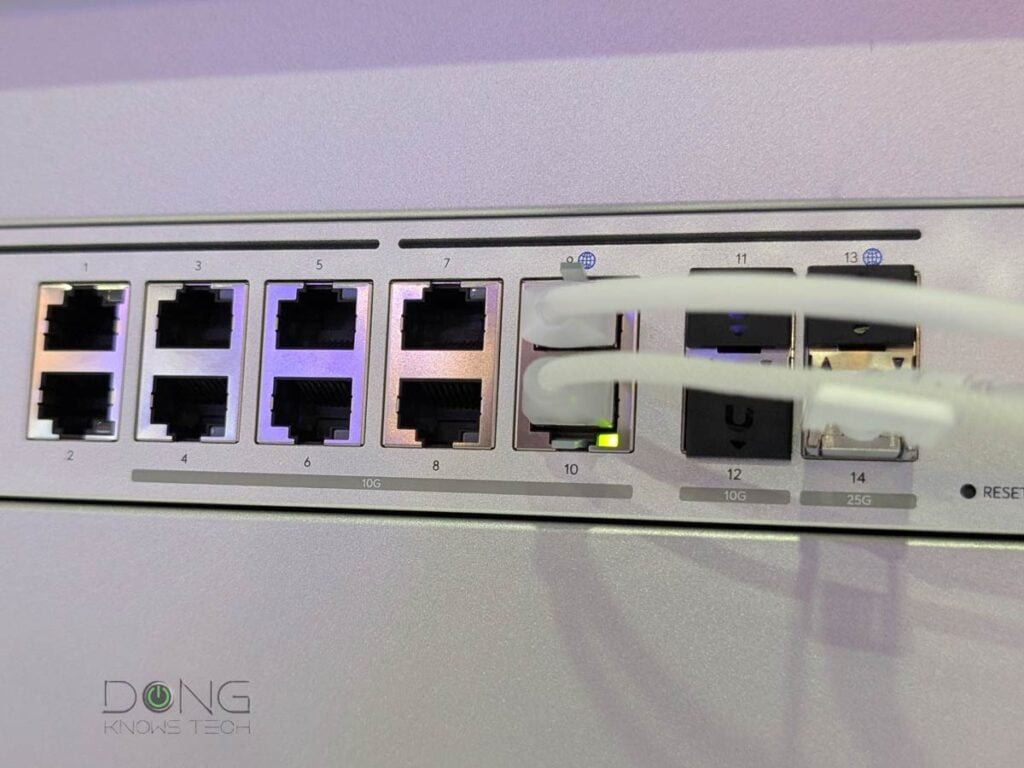
Ubiquiti UDM Beast: Major improvement from the previous model
As shown in the table above, the UDM Beast has significantly more processing power and, as a result, is much more capable than its predecessor, the UDM Pro Max. Here are a few highlights:
- It has five times the protected bandwidth. Specifically, even with the traffic scanning/filtering feature enabled, it can still deliver up to 24.9 Gbps of real-world bandwidth. To put things in perspective, 10 Gbps is currently the fastest commercial broadband speed.
- 10 Gbps is now the minimum. The new gateway comes with ten 10Gbps ports and two 25Gbps ports. It’s the first “router” capable of delivering true 10 Gbps and beyond.
- An astonishing number of supported UniFi devices. For example, even if you opt for 4K quality in the Protect app, the UDM Beast can handle up to 40 cameras, more than enough for any home or small office.
- Support for over 5,000 concurrent clients (users).
So, it’s safe to say the Beast is overkill for all homes and small offices. But it doesn’t hurt to have and will remain relevant for years, if not decades, to come. Speaking of which, the fact that it doesn’t have a built-in Wi-Fi access point is a good thing.
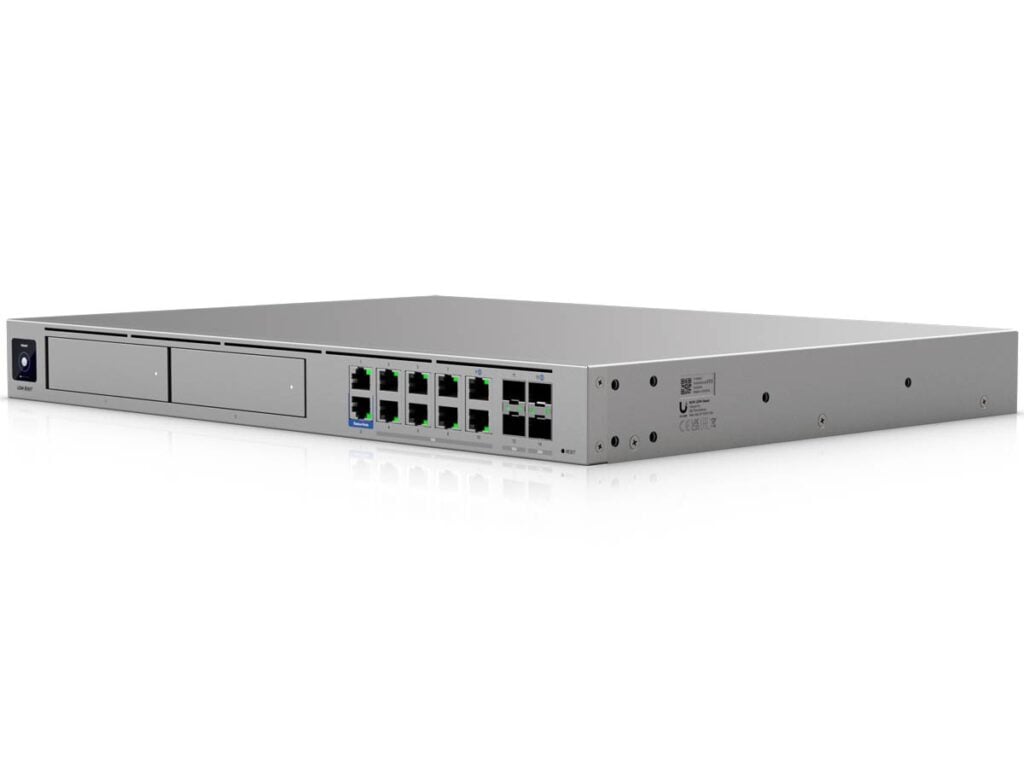
A familiar UniFi Cloud Gateway
Despite the new souped-up hardware specs, the UDM Beast is slated to be a familiar Network-enabled UniFi console. It’s a non-Wi-Fi “router”, if you want to call it that way, but you can quickly add Wi-Fi to it by throwing in one or two UniFi access points.
And that’s a major advantage because it means the gateway itself will never become “obsolete”, even when a new Wi-Fi standard emerges, which is timely given that Wi-Fi 8 is on the horizon.
At the core, this is a powerful and flexible “router” thanks to the robust UniFi Network application. Specifically, you can expect the following:
- Flexible port management: VLAN, Dual-WAN, WAN/LAN roles, and more. You can reassign the WAN/LAN role to all ports, provided you retain one as the WAN port. SD-WAN supported.
- Advanced VPN servers, including OpenVPN, IPsec, WireGuard, Site-to-Site VPN, Zero-Configuration Teleport, VPN client, and more.
- Shadow Mode High Availability: Users can use multiple UniFi Beast units for redundancy. The hardware itself comes with redundancy for power input.
- Advanced firewall and threat protection, including content/access-blocking per categories/countries and ad-blocking.
- Advanced device and application-based QoS.
- Excellent monitoring system for connected devices, including web filtering (parental control) based on different categories applicable to a group or particular device(s).
- Advanced Wi-Fi and mesh system management when UniFi access points are part of the system.
After that, keep in mind that the Beast can host over 700 hundreds of UniFi devices and thousands of concurrent clients (users) across multiple UniFi applications. It’s an all-in-one solution for anyone who wants to get the absolute best option for their home or office network.
Pros
Top-notch hardware specs with beyond-10GbE ports
A complete set of useful networking features, including powerful security/web-filtering and WireGuard VPN; excellent web user interface; useful mobile apps
Dual drive support with RAID 1; no subscription required; runs relatively cool and quiet
Cons
A Ubiquiti login account is required for some useful features to work
The takeaway
Ubiquiti says the new UniFi Dream Machine Beast is now available at a fixed price of $1,499. Based on previous releases and how exciting it is, I’d say it might be out of stock soon. That said, if you want to be sure, grab yours today!
It’s worth noting that, like the previous UniFi consoles, the UDM Beast remains license-free. You only need to pay for the one-time hardware cost.
I haven’t had the chance to put the new UDM Beast through its paces, but judging from the over-the-top hardware specs alone, it’s safe to call it the new “ultimate” UniFi Dream Machine.
However, for most situations, sub-$500 UDM Pro Max remains the best option for the foreseeable future, especially when paired with a 10Gbps switch.